How to transfer data from a digital safety pattern pressure gauge?
Leave a message

Transferring data from a digital safety pattern pressure gauge might seem like a daunting task, but it's actually quite straightforward once you know the ropes. As a supplier of safety pattern pressure gauges, I've dealt with all sorts of questions regarding these devices, and data transfer is a common one. In this blog, I'll walk you through the process step by step, so you can get the most out of your pressure gauge.
First off, let's talk about why you might want to transfer data from your digital safety pattern pressure gauge. There are several reasons. Maybe you need to analyze the pressure readings over a period of time to detect any trends or anomalies. Or perhaps you're required to submit the data for regulatory compliance. Whatever the reason, having the ability to transfer data is crucial.


Now, let's get into the nitty - gritty of how to transfer data. The first thing you need to do is check the type of output your pressure gauge has. Most digital safety pattern pressure gauges come with either a USB, RS - 232, or Bluetooth output.
If your gauge has a USB output, it's usually the easiest option for data transfer. All you need is a USB cable. Connect one end of the cable to the USB port on your pressure gauge and the other end to your computer. Once it's connected, your computer should recognize the device. In some cases, you might need to install the driver software that came with your pressure gauge. After the driver is installed, open the software application that allows you to read and manage the data. This software will display the pressure readings and often has features to save, analyze, and export the data. For example, you can save the data as a CSV file, which can be easily opened in spreadsheet programs like Microsoft Excel.
If your pressure gauge has an RS - 232 output, it's a bit more technical. RS - 232 is an older communication standard, but it's still widely used in industrial applications. You'll need an RS - 232 cable and a serial port on your computer. Many modern computers don't have a built - in serial port, so you might need to use a USB - to - RS - 232 converter. Connect the cable from the pressure gauge to the serial port or the converter. Then, you'll need to configure the serial communication settings such as baud rate, data bits, stop bits, and parity. These settings are usually specified in the pressure gauge's user manual. Once the settings are configured correctly, you can use a terminal emulator software on your computer to communicate with the pressure gauge and transfer the data.
Bluetooth - enabled pressure gauges offer a wireless solution for data transfer. To use this feature, make sure your computer or mobile device has Bluetooth capabilities. First, turn on the Bluetooth function on both your pressure gauge and the receiving device. On your computer or mobile device, search for available Bluetooth devices. Select your pressure gauge from the list of discovered devices and pair them. After pairing, open the appropriate application that can communicate with the pressure gauge. This application will allow you to receive and manage the pressure data wirelessly.
When it comes to our product range, we have some great options. The Phenolic Case Pressure Gauge is a popular choice. It's known for its durability and accurate pressure readings. The phenolic case provides excellent protection against environmental factors, making it suitable for a wide range of industrial applications.
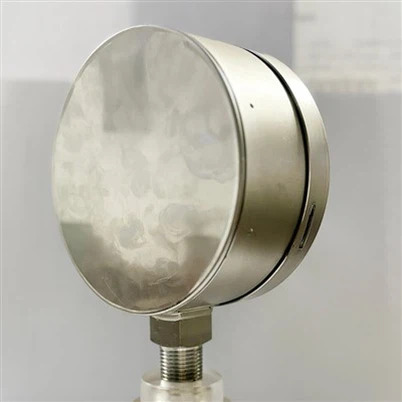
Another option is the Safety Patten Dial 160mm Solid Front Pressure Gauge. With its large 160mm dial, it's easy to read the pressure values from a distance. The solid front design adds an extra layer of safety, protecting the user from potential pressure surges.
If you need a more compact option, the Safety Patten Dial 63mm Solid Front Pressure Gauge is a great pick. It's small enough to fit in tight spaces but still provides accurate and reliable pressure measurements.
Before you start the data transfer process, it's a good idea to back up any existing data on your pressure gauge. This ensures that you don't lose any important information in case something goes wrong during the transfer. Also, make sure your pressure gauge is properly calibrated. An uncalibrated gauge can give inaccurate readings, which will affect the quality of the data you're transferring.
When transferring data, be aware of the data format. Different software applications might require the data to be in a specific format. For example, some applications might only accept data in a JSON or XML format. If the data needs to be converted, most data management software has the option to convert the data into the required format.
In addition to the basic data transfer methods, some advanced digital safety pattern pressure gauges support cloud - based data storage. This means that you can transfer the data directly to a cloud server, where you can access it from anywhere with an internet connection. Cloud - based storage also offers the advantage of data backup and sharing. You can share the pressure data with your colleagues or clients easily.
To sum it up, transferring data from a digital safety pattern pressure gauge is a multi - step process that depends on the type of output your gauge has. Whether it's USB, RS - 232, or Bluetooth, there are ways to get the data from your gauge to your computer or other devices. And with our range of high - quality safety pattern pressure gauges, you can be sure that you're getting accurate and reliable pressure readings.
If you're interested in purchasing our safety pattern pressure gauges or have any questions about data transfer or our products in general, don't hesitate to reach out. We're here to help you make the most of your pressure measurement needs. Contact us for a detailed discussion about your requirements and let's start a great business relationship.
References
- Manufacturer's user manuals for digital safety pattern pressure gauges
- Technical documentation on serial communication standards (RS - 232)
- Software guides for data management applications related to pressure gauges